This is a preview of the Storyblok Website with Draft Content

JoyConf 2026 is back. Content Confidence. Human Connection. Save your spot!

Browse apps
Install

Requires Growth plan

Author
Storyblok GmbH
Last update
5/19/2026
Content Locking
Lock stories during editing to prevent conflicts between users.
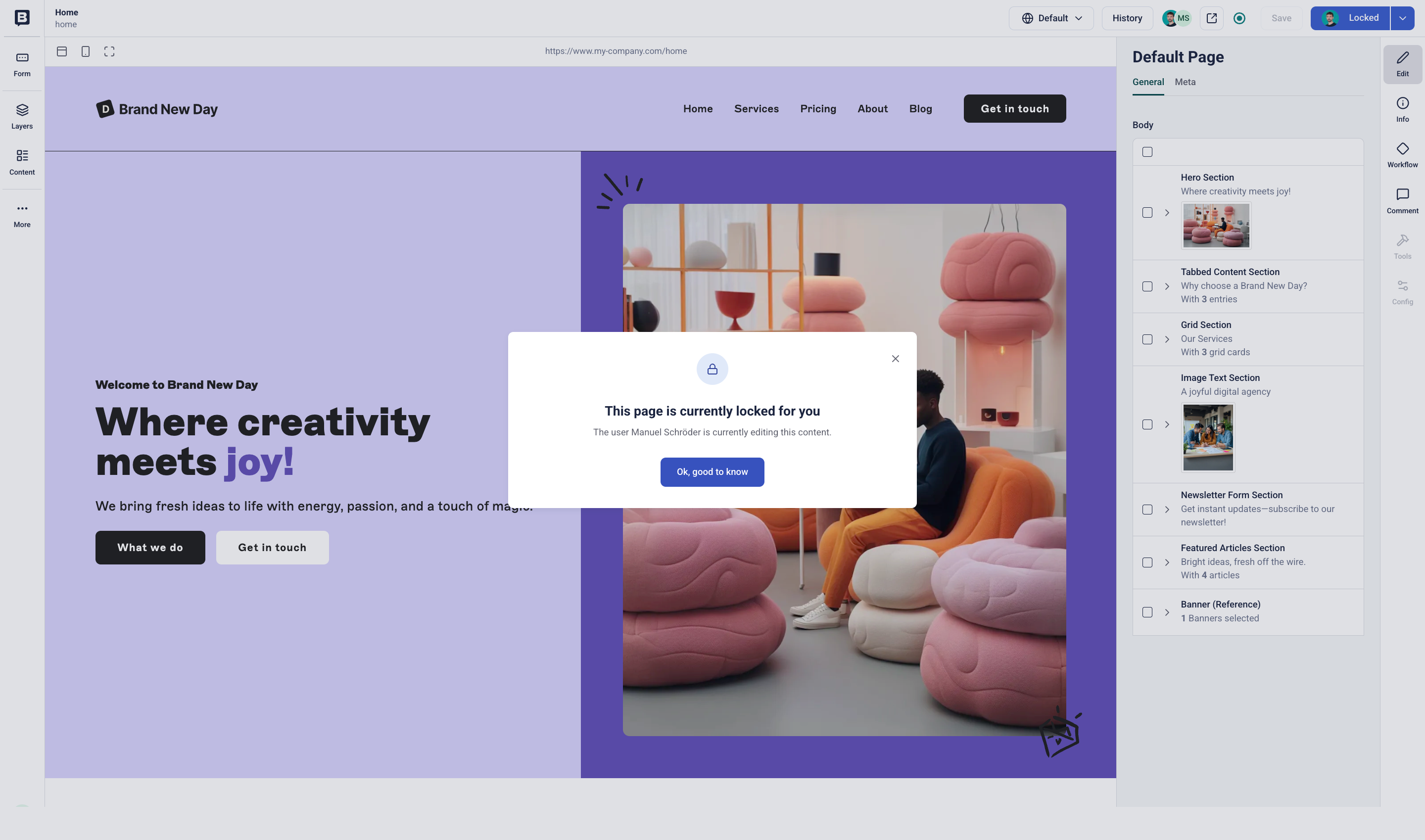
The Content Locking app locks the story for other users as soon as the first user starts editing. Only the active editor can save changes. The app unlocks the story once the active editor saves or leaves it.

The Visual Editor shows other users a notification that the story is locked and who is editing it.

To automatically unlock stories after a period of inactivity:

  1. Go to SettingsContent Locking.
  2. Enable Automatically unlock a Story after user inactivity.
  3. Set the inactivity time and countdown, in minutes.
  4. Optionally, enable automatic saving before the timeout unlocks the story.

When you use this app with the Autosave app, enable the Keep the content locked after autosave option under SettingsContent Locking.