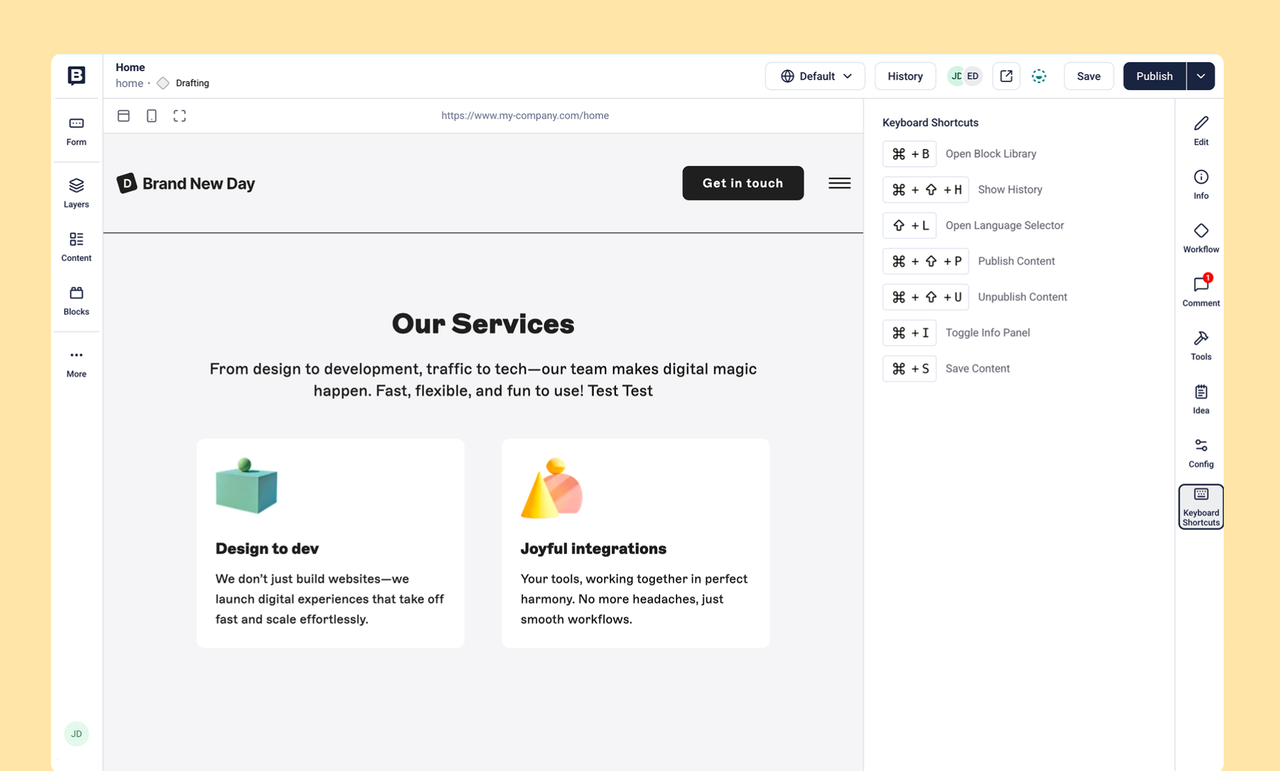
This week, we have released the keyboard shortcuts for the Visual Editor! 🚀
Users can now navigate the Visual Editor with the help of keyboard shortcuts, to make the editing experience smoother, more accessible and convenient.
The available shortcuts are:
Action | MacOS | Windows/Linux |
|---|
Open the Block library | Command + B
| Ctrl + B
|
Open Languages | Shift + L
|
|
Show History | Command + Shift + H
| Ctrl + Shift + H
|
Save a story | Command + S
| Ctrl + S
|
Publish a story | Command + Shift + P
| Ctrl + Shift + P
|
Unpublish a story | Command + Shift + U
| Ctrl + Shift + U
|
Open Info | Command + I
| Ctrl + I
|
Users are now able to find a keyboard shortcuts overview in the right hand side panel, showing the list of available shortcuts depending on the operating system they are using (Mac or Windows / Linux).